paul123
Fish Fanatic
- Joined
- Oct 25, 2008
- Messages
- 161
- Reaction score
- 0
- Points
- 0
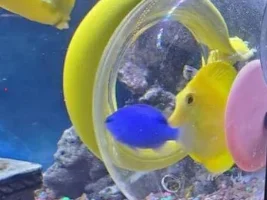
hey guys here are a few pictures of my tank...
i was just wondering what i should add around the bog wood preferably plants any suggestions, i would rather not swords because for some unknown reason always die on me after about 3-4 weeks
 ?
?
just copy and paste each address into a new tab and they should come up
thanks
file //CDocuments%20and%20Settings/Paul/My%20Documents/My%20Pictures/2009-12-24%20001/P1000253.JPG
file//CDocuments%20and%20Settings/Paul/My%20Documents/My%20Pictures/2009-12-24%20001/P1000256.JPG
file//CDocuments%20and%20Settings/Paul/My%20Documents/My%20Pictures/2009-12-24%20001/P1000262.JPG
file//CDocuments%20and%20Settings/Paul/My%20Documents/My%20Pictures/2009-12-24%20001/P1000260.JPG
file//CDocuments%20and%20Settings/Paul/My%20Documents/My%20Pictures/2009-12-24%20001/P1000250.JPG
file//CDocuments%20and%20Settings/Paul/My%20Documents/My%20Pictures/2009-12-24%20001/P1000246.JPG
i was just wondering what i should add around the bog wood preferably plants any suggestions, i would rather not swords because for some unknown reason always die on me after about 3-4 weeks
?just copy and paste each address into a new tab and they should come up
thanks
file
//CDocuments%20and%20Settings/Paul/My%20Documents/My%20Pictures/2009-12-24%20001/P1000253.JPGfile
//CDocuments%20and%20Settings/Paul/My%20Documents/My%20Pictures/2009-12-24%20001/P1000256.JPGfile
//CDocuments%20and%20Settings/Paul/My%20Documents/My%20Pictures/2009-12-24%20001/P1000262.JPGfile
//CDocuments%20and%20Settings/Paul/My%20Documents/My%20Pictures/2009-12-24%20001/P1000260.JPGfile
//CDocuments%20and%20Settings/Paul/My%20Documents/My%20Pictures/2009-12-24%20001/P1000250.JPGfile
//CDocuments%20and%20Settings/Paul/My%20Documents/My%20Pictures/2009-12-24%20001/P1000246.JPG