
You are using an out of date browser. It may not display this or other websites correctly.
You should upgrade or use an alternative browser.
You should upgrade or use an alternative browser.
Tech Corner
- Thread starter jaylach
- Start date


- Joined
- May 19, 2022
- Messages
- 2,794
- Reaction score
- 5,829
- Points
- 113
LOL! Looks kind of fishy. Does anyone else see a fish in abstract?
- Joined
- May 19, 2022
- Messages
- 2,794
- Reaction score
- 5,829
- Points
- 113
Am I the only one left that still uses optical drives Just did another quick look on New Egg and only found one case with optical bays and it doesn't really look good as to the specs. I mean the thing only has one internal 3.5 drive bay. Sure, I can just 'stack' drives at the bottom of the case I need at least three internal bays for my media and data drives.
I already have a decent case that I can use that contains my second desktop but I'd prefer to leave that system intact as a backup.
I'd even settle for a decent case with just one external 5.25 bay as my Blu-ray burner also does DVD but I'd prefer to have both to lessen the wear on the Blu-ray drive. Ya, I can just run SATA cables to the outside and just put an optical on top of the case but the system is part of my entertainment center and I'd prefer as clean of a look as possible.
This is really bugging me as many use a computer to drive their entertainment center and, without an optical bay, how do you watch a movie DVD or Blu-ray? Ya, you can add a stand alone player but I don't want to do so. One reason for not wanting a stand alone player is that it prevents me from ripping the movie to one of my internal media drives. BTW, ripping an optical is actually legal, at least in the U.S., as you are allowed an archive copy of any purchased media.
Just did another quick look on New Egg and only found one case with optical bays and it doesn't really look good as to the specs. I mean the thing only has one internal 3.5 drive bay. Sure, I can just 'stack' drives at the bottom of the case I need at least three internal bays for my media and data drives.I already have a decent case that I can use that contains my second desktop but I'd prefer to leave that system intact as a backup.
I'd even settle for a decent case with just one external 5.25 bay as my Blu-ray burner also does DVD but I'd prefer to have both to lessen the wear on the Blu-ray drive. Ya, I can just run SATA cables to the outside and just put an optical on top of the case but the system is part of my entertainment center and I'd prefer as clean of a look as possible.
This is really bugging me as many use a computer to drive their entertainment center and, without an optical bay, how do you watch a movie DVD or Blu-ray? Ya, you can add a stand alone player but I don't want to do so. One reason for not wanting a stand alone player is that it prevents me from ripping the movie to one of my internal media drives. BTW, ripping an optical is actually legal, at least in the U.S., as you are allowed an archive copy of any purchased media.

Huh i found too many cases with 5.25 bay for optical drive:Am I the only one left that still uses optical drives
I already have a decent case that I can use that contains my second desktop but I'd prefer to leave that system intact as a backup.
I'd even settle for a decent case with just one external 5.25 bay as my Blu-ray burner also does DVD but I'd prefer to have both to lessen the wear on the Blu-ray drive. Ya, I can just run SATA cables to the outside and just put an optical on top of the case but the system is part of my entertainment center and I'd prefer as clean of a look as possible.
This is really bugging me as many use a computer to drive their entertainment center and, without an optical bay, how do you watch a movie DVD or Blu-ray? Ya, you can add a stand alone player but I don't want to do so. One reason for not wanting a stand alone player is that it prevents me from ripping the movie to one of my internal media drives. BTW, ripping an optical is actually legal, at least in the U.S., as you are allowed an archive copy of any purchased media.
No clue what you are looking for but here are a few:
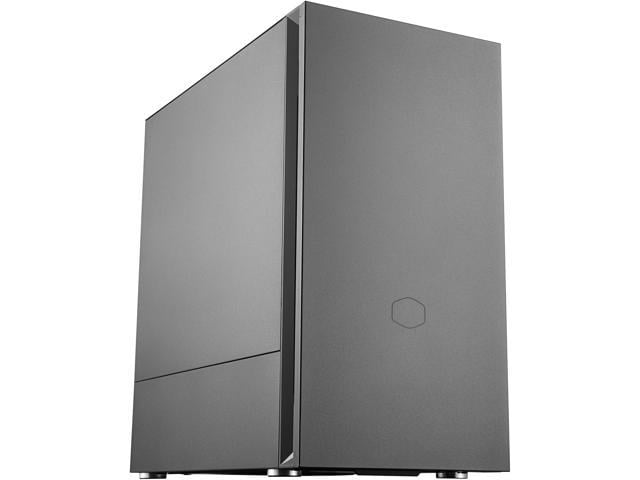
Cooler Master Silencio S600 ATX Mid-Tower with Sound-Dampening Material, Sound-Dampened Solid Steel Side Panel, Reversible Front Panel, SD Card Reader, and 2 x 120mm PWM Silencio FP Fans - Newegg.com
Buy Cooler Master Silencio S600 ATX Mid-Tower with Sound-Dampening Material, Sound-Dampened Solid Steel Side Panel, Reversible Front Panel, SD Card Reader, and 2 x 120mm PWM Silencio FP Fans with fast shipping and top-rated customer service. Once you know, you Newegg!
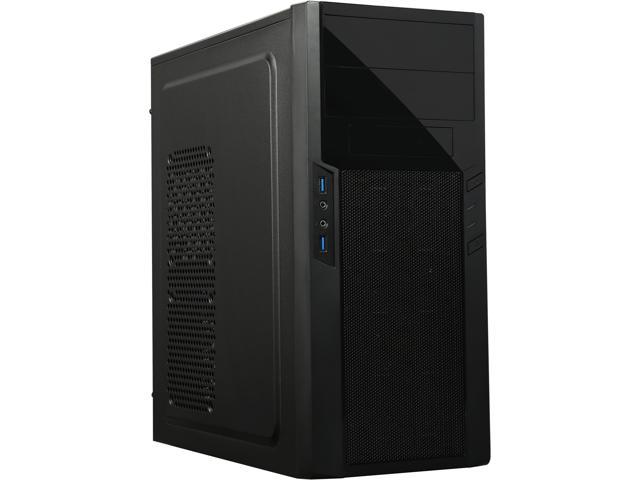
SilverStone Precision SST-PS13B Black Computer Case - Newegg.com
Buy SilverStone Precision SST-PS13B Black Steel / Plastic ATX / Micro ATX Mid Tower Computer Case with fast shipping and top-rated customer service. Once you know, you Newegg!
Another one for micro-atx with 3 2.5 bay and 2 5.25 external bays:
The 2nd one has 2 bays but there are cases with more I think - not sure how you searched.
I think there were 10 or 15 of them just select number of extrenal 5.25 drives you need.
Last edited:
Am I the only one left that still uses optical drives
I already have a decent case that I can use that contains my second desktop but I'd prefer to leave that system intact as a backup.
I'd even settle for a decent case with just one external 5.25 bay as my Blu-ray burner also does DVD but I'd prefer to have both to lessen the wear on the Blu-ray drive. Ya, I can just run SATA cables to the outside and just put an optical on top of the case but the system is part of my entertainment center and I'd prefer as clean of a look as possible.
This is really bugging me as many use a computer to drive their entertainment center and, without an optical bay, how do you watch a movie DVD or Blu-ray? Ya, you can add a stand alone player but I don't want to do so. One reason for not wanting a stand alone player is that it prevents me from ripping the movie to one of my internal media drives. BTW, ripping an optical is actually legal, at least in the U.S., as you are allowed an archive copy of any purchased media.
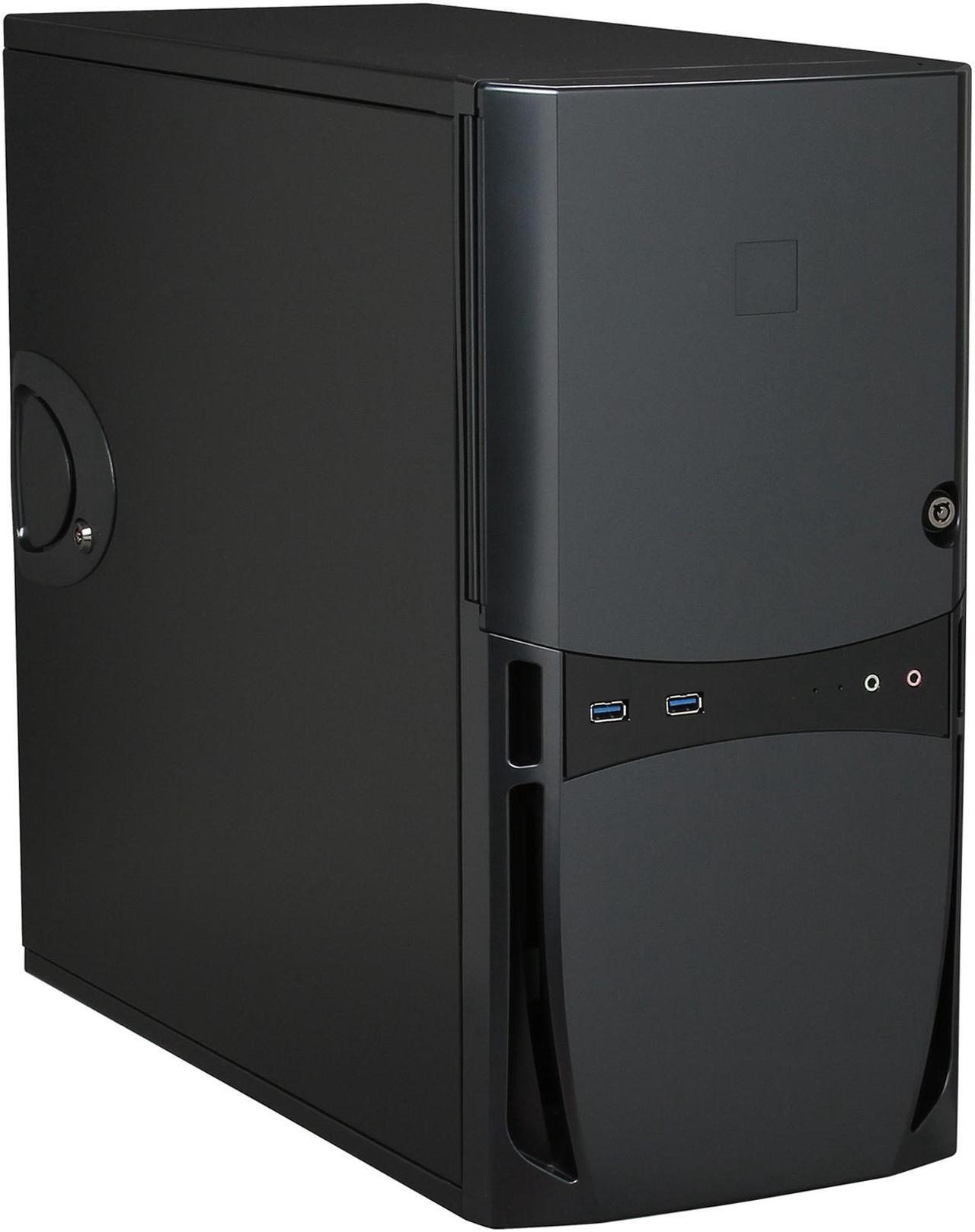
The Antec VSK4000E-U3_US Black SGCC ATX Mid Tower. Exactly what you want:
Full ATX Size
2 x USB 2.0 USB 3.0 Audio In/Out Front Ports
3 x 5.25” external drive bays External 5.25" Drive Bays
5 x 3.5" internal HDD bays Internal 3.5" Drive Bays
- Joined
- May 19, 2022
- Messages
- 2,794
- Reaction score
- 5,829
- Points
- 113
I made a shortcut to the New Egg for the case. Reviews aren't all that good but definitely something to consider.The Antec VSK4000E-U3_US Black SGCC ATX Mid Tower. Exactly what you want:
Full ATX Size
2 x USB 2.0 USB 3.0 Audio In/Out Front Ports
3 x 5.25” external drive bays External 5.25" Drive Bays
5 x 3.5" internal HDD bays Internal 3.5" Drive Bays

- Joined
- May 19, 2022
- Messages
- 2,794
- Reaction score
- 5,829
- Points
- 113
Oh, @MaloK As to the reviews on New Egg some are a bit dumb as is pretty normal. For instance one, 1-star rating, actually says it is a good case but arrived broken. I throw that one out as it is likely to be the fault of the shipping. Another negative review complains about not including SSD mount adapters. Why would it? Another states that there were no mother board mounts installed. Why would there be? 
Keep in mind that I tend to ignore 4-5 star ratings and look more at 1-2 star ratings. I want to see where people have issues, not the happy campers.
Right now the case looks pretty good and is not expensive at like $90.00 USD through New Egg. Yes, it is out of production but I don't consider that any issue. One negative review stated being out of production being an issue as it has sat around sustaining damage. That would be an issue with the seller, not the case. A couple said that it was built 'flimsy' but reviews on my current cases said the same and one is at least 12 years old and still holding a totally intact system. The other is around 7 years old and, also, still fine. Many bad reviews are by people that don't know how to handle things and cause the issue themselves. LOL! One review actually complained that the 5.25 inch external bays took up too much space in the case. How do you make a 5.25 inch bay smaller?
I actually like that it has a third 5.25 external bay. I only need 2 but might consider using the third to mount a multi purpose card reader. Currently I use a USB card reader but it might be nice to not having the thing hanging out the front of the case.
Currently my 'slush fund' holds $2500.00 USD. Since I don't need drives or video that could make for a really robust system that will be viable for many years.
Keep in mind that I tend to ignore 4-5 star ratings and look more at 1-2 star ratings. I want to see where people have issues, not the happy campers.
Right now the case looks pretty good and is not expensive at like $90.00 USD through New Egg. Yes, it is out of production but I don't consider that any issue. One negative review stated being out of production being an issue as it has sat around sustaining damage. That would be an issue with the seller, not the case. A couple said that it was built 'flimsy' but reviews on my current cases said the same and one is at least 12 years old and still holding a totally intact system. The other is around 7 years old and, also, still fine. Many bad reviews are by people that don't know how to handle things and cause the issue themselves. LOL! One review actually complained that the 5.25 inch external bays took up too much space in the case. How do you make a 5.25 inch bay smaller?
I actually like that it has a third 5.25 external bay. I only need 2 but might consider using the third to mount a multi purpose card reader. Currently I use a USB card reader but it might be nice to not having the thing hanging out the front of the case.
Currently my 'slush fund' holds $2500.00 USD. Since I don't need drives or video that could make for a really robust system that will be viable for many years.

MattW
Supporting Member
Staff member
5x Tank of the Month 🏆
Global Moderator ⚒️
Fish of the Month 🌟
Supporting Member ⭐
Just realised I didn't update on my OS issues! Nothing worked sadly.. I really must have corrupted the installation files. Even notepad won't work now! I'm gonna have to do another reinstall when I can. Just need to grab the Windows key and see if I can properly read the de-bloater exe.
I assume files on the C drive will be lost after a reinstall? Don't want to take any chances!
I assume files on the C drive will be lost after a reinstall? Don't want to take any chances!
- Joined
- May 19, 2022
- Messages
- 2,794
- Reaction score
- 5,829
- Points
- 113
Just realised I didn't update on my OS issues! Nothing worked sadly.. I really must have corrupted the installation files. Even notepad won't work now! I'm gonna have to do another reinstall when I can. Just need to grab the Windows key and see if I can properly read the de-bloater exe.
I assume files on the C drive will be lost after a reinstall? Don't want to take any chances!
If you are getting to Windows go to settings and then restore... Select to reset the system and then choose to keep data.
I also suggest that you do not use the de-bloater. Many such apps cause problems due to getting rid of files needed for apps you actually want.
As to the Windows key there should be no issue if the Windows install was valid. If valid the system ID has a digital license and will activate even on a clean install.

seangee
Fish Connoisseur
With a digital licence you should have no problems doing a system reset. Personally I would go for a completely clean start - but easy for me to say as my files are all separated and I know where to find all my third party software and registration details so can be back up and running in a fairly short time.
Definitely don't run debloater in default mode. There are some useful registry settings in there but I created my own set using those as a starting point in a pair of .reg files (one system and one user) so I can just import those and I'm done. Ditto for the scripts. I used theirs for inspiration (read copy paste ) but built my own. Make sure you know what everything you apply does.
Definitely don't run debloater in default mode. There are some useful registry settings in there but I created my own set using those as a starting point in a pair of .reg files (one system and one user) so I can just import those and I'm done. Ditto for the scripts. I used theirs for inspiration (read copy paste
) but built my own. Make sure you know what everything you apply does.
- Joined
- May 19, 2022
- Messages
- 2,794
- Reaction score
- 5,829
- Points
- 113
I always felt the same about CCleaner. If someone can't manually do the registry hacks they should not use an automated app to do so as they won't know when to say OK.Definitely don't run debloater in default mode. There are some useful registry settings in there but I created my own set using those as a starting point in a pair of .reg files (one system and one user) so I can just import those and I'm done. Ditto for the scripts. I used theirs for inspiration (read copy paste

You can stay on Windows 10 for another year for free — if you act by Oct. 14
You just have to jump through a couple of small hoops.
 mashable.com
- Joined
- May 19, 2022
- Messages
- 2,794
- Reaction score
- 5,829
- Points
- 113
Ya, I posted a while back about the ability to use points for the extended year of updates.
As of yet I haven't seen the option under Windows Updates and, yes, the system is totally up to date. This possibly is due to the system previously having had Windows 11 installed.
When I get around to it I'll look at my Microsoft account to see if there is something there.
Even if you see the notice there are things that will void your points such as using a VPN, or so it seems. Not sure on this one but a friend was denied the use of points for this and one of the listed possible reasons was the use of a VPN.
If you never get the option to use points you, it seems, can do the same by syncing your device to the cloud via Windows Backup.
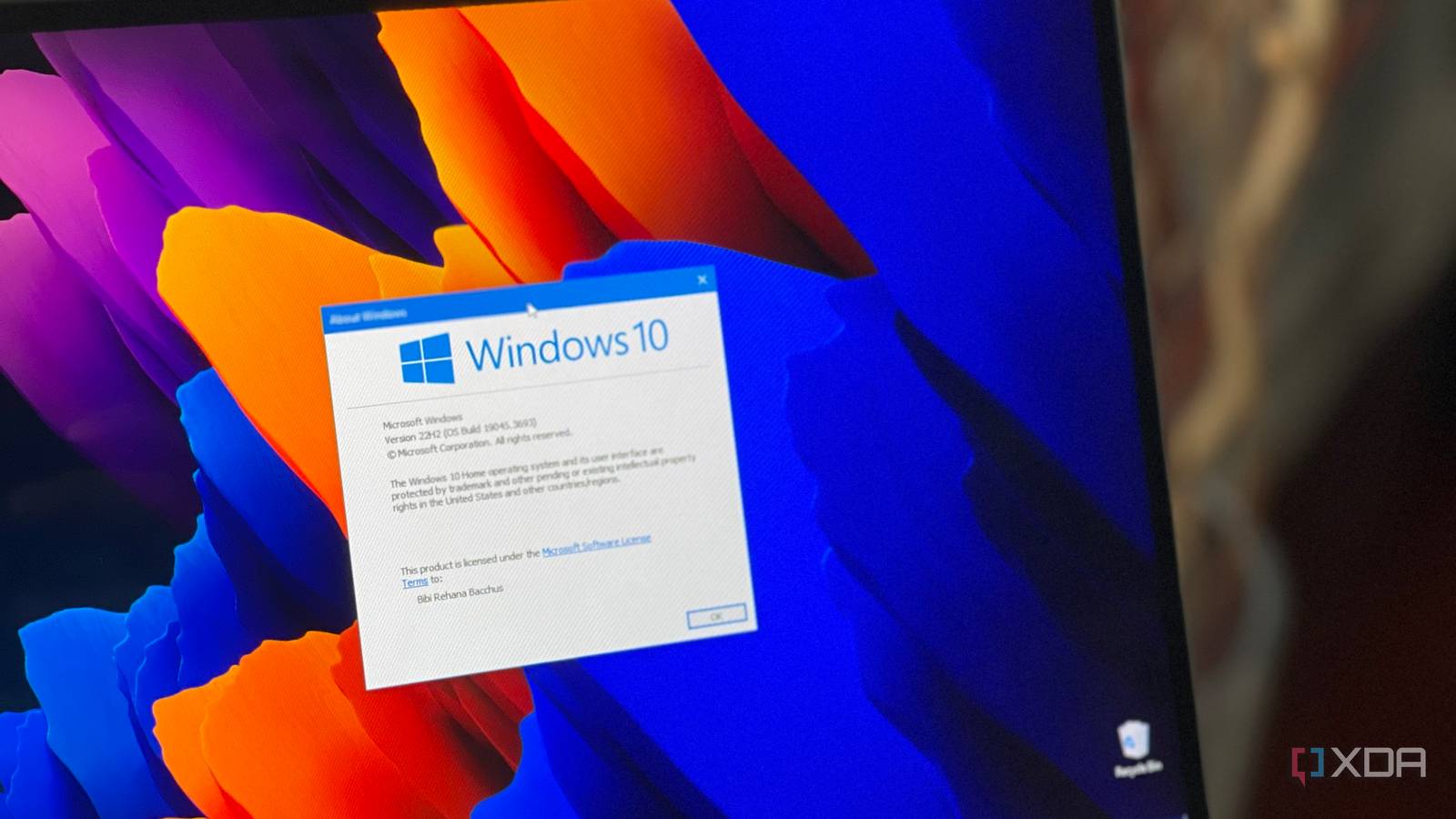
 www.xda-developers.com
As of yet I haven't seen the option under Windows Updates and, yes, the system is totally up to date.
This possibly is due to the system previously having had Windows 11 installed.When I get around to it I'll look at my Microsoft account to see if there is something there.
Even if you see the notice there are things that will void your points such as using a VPN, or so it seems. Not sure on this one but a friend was denied the use of points for this and one of the listed possible reasons was the use of a VPN.
If you never get the option to use points you, it seems, can do the same by syncing your device to the cloud via Windows Backup.
Microsoft just added two free ways to stay on Windows 10, and you might already be covered without realizing it
Microsoft’s giving Windows 10 fans one last lifeline.
www.xda-developers.com
- Joined
- May 19, 2022
- Messages
- 2,794
- Reaction score
- 5,829
- Points
- 113
With a bit more looking I found that the option to extend Windows Updates has yet to be fully deployed so the option may show later.
<edit>
DUH! I just looked at Windows Backup and had forgotten that I was already doing. This could easily explain why I don't see the enroll option in Windows Updates as I'm probably already enrolled via Windows Backup. We shall see what we see.
<edit>
DUH! I just looked at Windows Backup and had forgotten that I was already doing. This could easily explain why I don't see the enroll option in Windows Updates as I'm probably already enrolled via Windows Backup. We shall see what we see.
Last edited:
I wish Antec would still produce the Sonata Proto. These are so good, I been upgrading mine for 20 years and I haven't found something in that class of quality from any manufacturer. Solid and sober in all aspects.
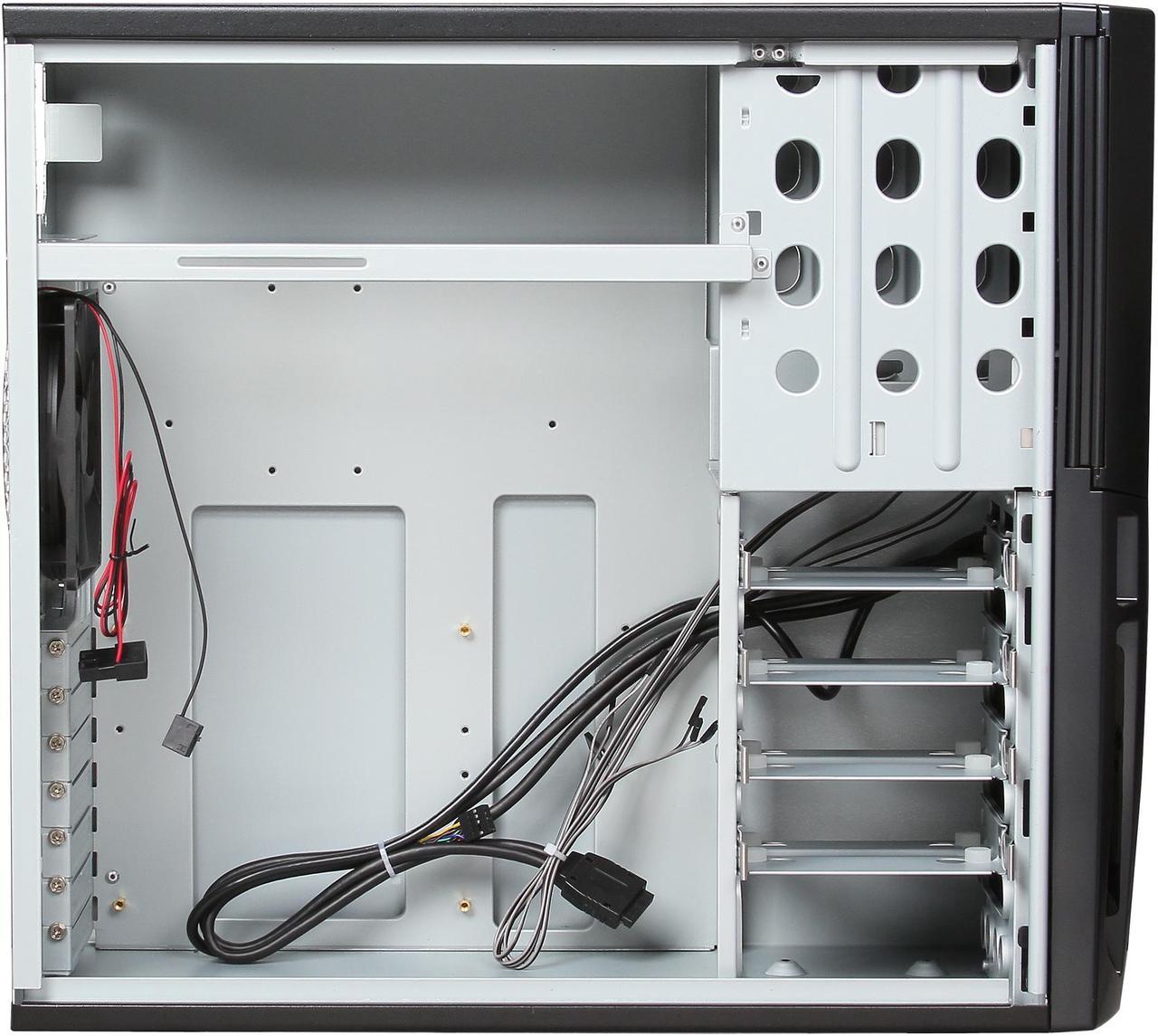
Yeah, some peoples reviews make you think they probably should not try to build their computer on their own, loll... Some saying it could not fit an ATX board or that the support was crushing the connectors, because they installed their hard disks backward and the cherry was complain about not having a power supply and being heavy. Of course it's heavy, it's built like a tank, what do you expect ?
I think I'm pretty lucky on the Windows side for the moment. Windows 11 is proving to go better than 10 in my uses case and I don't really care using a hacked W11 version for my Media Center, the performance has been awesome. So if MS screws my setup in the future.
I have a Mint Cinnamon thumb drive ready to fire up. And I would be left with only one computer running windows all the rest are on Linux now. So I have a couple of Windows 11 pro retail licenses loose.
Some peoples are actually going back to Windows 7... W7 market share raised by something like 10% in the last few months. Loll...
Yeah, some peoples reviews make you think they probably should not try to build their computer on their own, loll... Some saying it could not fit an ATX board or that the support was crushing the connectors, because they installed their hard disks backward and the cherry was complain about not having a power supply and being heavy. Of course it's heavy, it's built like a tank, what do you expect ?
I think I'm pretty lucky on the Windows side for the moment. Windows 11 is proving to go better than 10 in my uses case and I don't really care using a hacked W11 version for my Media Center, the performance has been awesome. So if MS screws my setup in the future.
I have a Mint Cinnamon thumb drive ready to fire up. And I would be left with only one computer running windows all the rest are on Linux now. So I have a couple of Windows 11 pro retail licenses loose.
Some peoples are actually going back to Windows 7... W7 market share raised by something like 10% in the last few months. Loll...
Similar threads


- Locked
- Sticky
- Replies
- 0
- Views
- 27K







Fish and Aquarium Photos
Fish and Aquarium Photos
Most reactions
-
 735
735 -
 339
339 -
 338
338 -
 201
201 -
 194
194 -
 176
176 -
 175
175 -
 173
173 -
 173
173 -
 145
145 -
 141
141 -
 131
131 -
 98
98 -
 88
88 -
 85
85